
Maximising Slack for Working with Your Virtual Assistant
Slack isn’t just another messaging app; it’s a solid tool for keeping you and your Virtual Assistant (VA) on the same page. When used right, it can turn a scattered, confusing workflow into something smooth and efficient. Here’s a practical guide to help you make the most out of Slack when working with your VA.
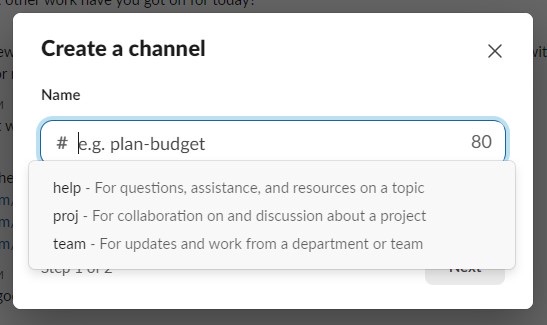
1. Organise Your Communication with Channels
Channels in Slack are the backbone of effective communication and project management. They help you keep discussions organised and ensure everyone involved stays updated.
Project-Specific Channels
Imagine your VA is working on a new marketing campaign. Instead of mixing up emails and messages, set up a channel like #marketing-campaign-september. This is where all related chats, files, and updates live. Everything’s in one place, so when you need to find something, you know exactly where to look.
Team Channels
For daily routines or team-wide updates, create channels like #daily-updates. Here, everyone can post what they’re up to each day. This isn’t just about transparency; it’s about keeping everyone in the loop so you can quickly adjust if something isn’t going as planned.
Administrative Channels
Sometimes, you need to get the word out to everyone, whether it’s about a policy change or a company event. A #general channel is perfect for these broader announcements. Set it up so only certain people can post, keeping it clear of unrelated chatter.

2. Supercharge Your Workflow with Integrations and Apps
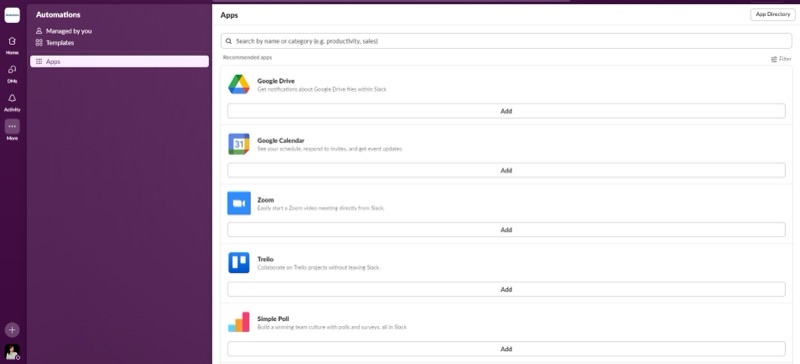
One of Slack’s greatest strengths is its ability to integrate with various tools and applications, making it a central hub for your work.
Calendar Syncing
By linking your Google Calendar or Outlook Calendar to Slack, you and your VA can see upcoming meetings or deadlines without jumping between apps. It’s all about making sure you’re both on the same page without the hassle of switching tabs.
File Sharing
Integrate tools like Google Drive or Dropbox with Slack. Now, instead of emailing documents back and forth, just drop them into your Slack channel. You and your VA can access and work on files together, making collaboration feel easy and instant.
Project Management Tools
If you’re using Trello, Asana, or something similar, hook them up to Slack. When a new task is created or updated, your VA will see it directly in Slack, which cuts down on the back-and-forth and helps keep projects moving smoothly.
3. Make Communication Fun and Effective with Emojis and Polls
Effective communication is key to successful remote work. Slack offers several features to make your interactions with your VA more engaging and efficient.
Emoji Reactions
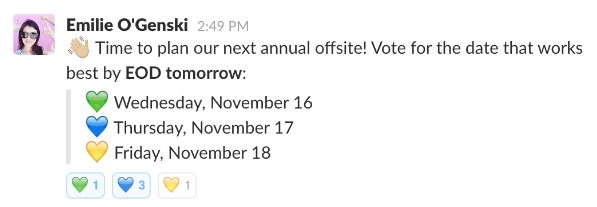
A thumbs-up, a clap, or even a party popper; sometimes, a little emoji can say a lot. If your VA ticks off a task, a quick emoji reaction lets them know you’ve seen it and you’re happy with their progress. It’s a small gesture, but it can boost morale and keep things positive.
Polls
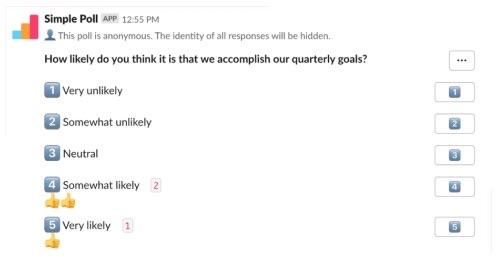
Need to make a quick decision? Use Slack’s polling features. Whether you’re deciding on a new strategy or picking a meeting time, polls make it easy to gather everyone’s opinions without endless discussions. Tools like Polly or Simple Poll make this process even smoother.
4. Stay in Sync with Regular Check-Ins and Updates
Consistent communication is the key to a successful working relationship with your VA.
Daily Stand-ups
Instead of dragging everyone into a meeting, why not do your daily check-ins on Slack? Each day, team members (including your VA) can post a quick update on what they did yesterday and what’s on their plate today. This keeps everyone in the loop without wasting time.
Scheduled Reminders
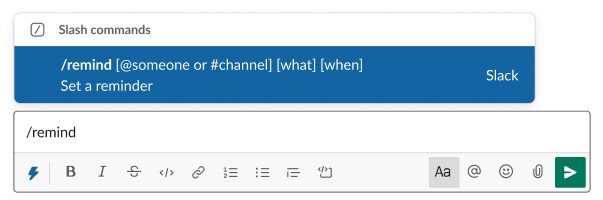
Slack’s reminder feature is a lifesaver for keeping on top of things. Set reminders for deadlines, reviews, or even just to follow up on a task. This way, nothing slips through the cracks, and both you and your VA stay on track.
5. Use Direct Messages for Private, Quick Chats
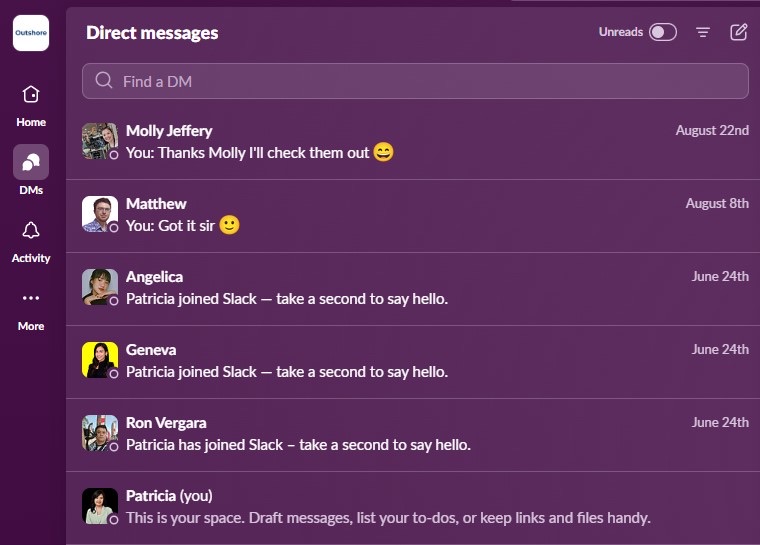
While channels are excellent for group discussions, direct messages (DMs) are ideal for private or urgent conversations with your VA.
Quick Questions
If you’ve got a small, time-sensitive question, DM your VA. It keeps the main channels clean and ensures your query gets answered without delay.
Personal Feedback
When you need to give specific feedback or clarify a task, direct messages offer a more private space. This lets you have more detailed conversations without cluttering up your public channels.
6. Recognise and Reward Hard Work
Acknowledging your VA’s efforts and providing constructive feedback is crucial for maintaining motivation and productivity.
Feedback Channels
Create a channel just for feedback. Here, you and your VA can exchange ideas and suggestions. It’s also a good space for other team members to chime in, creating a collaborative environment.
Public Recognition
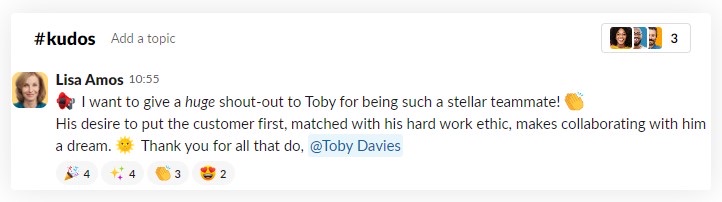
A little praise goes a long way. Use Slack to give shout-outs when your VA does something exceptional. A quick post in a relevant channel recognising their hard work can really lift spirits and show them they’re a valued part of the team.
7. Prioritise Security and Privacy
When you’re working with external collaborators like VAs, it’s essential to keep your information secure.
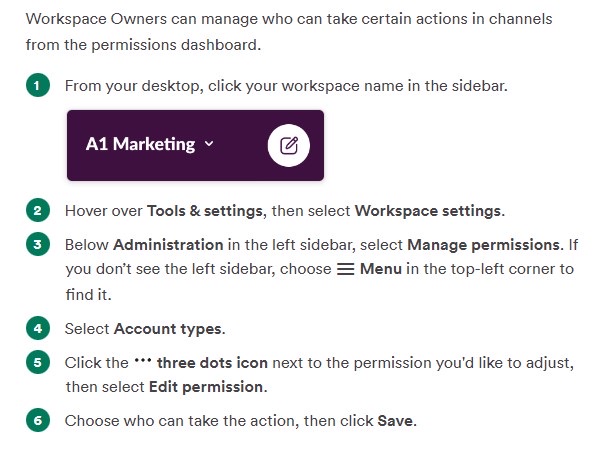
Channel Permissions
Not everyone needs to see everything. Manage permissions to make sure that only the right people have access to sensitive discussions and projects.
Safe File Sharing
Implement clear protocols for handling confidential information. Make sure your VA knows the importance of data security and follows best practices for sharing and storing files.
8. Build a Collaborative Culture
Creating a collaborative culture is essential for a productive remote working environment. Encourage your VA to actively participate in discussions, share ideas, and contribute to team initiatives.
Encourage Participation
Get your VA involved in brainstorming sessions and problem-solving. When they feel like their input matters, they’re more likely to take ownership of their work and contribute ideas.
Regular Check-Ins
Have regular one-on-one meetings with your VA. These check-ins are crucial for discussing progress, addressing any concerns, and making sure you’re both on the same page.
By putting these strategies into practice, Slack can become a powerful tool in your collaboration toolkit. With thoughtful use of channels, smart integrations, clear communication, and a focus on security, you’ll create a remote work environment where both you and your VA can thrive. Embrace all that Slack has to offer, and watch how it transforms the way you work together.
Let’s Make Slack Work for You
At Outshore, we get that The right tools and strategies can truly transform how you work with your Virtual Assistant. Whether you’re just starting out or looking to refine your approach, we’re here to support you. Our mission is to help Kiwi businesses thrive by connecting them with skilled VAs from the Philippines.
Ready to see how we can assist? We’d love to chat about how we can personalise our services to fit your specific needs and ensure Slack becomes an even more powerful asset for your team. Let’s team up to boost productivity and create a smoother, more collaborative work environment. Get in touch with us today, and let’s get started!
Related reading: